Panasonic DMC-TZ2 Uživatelský manuál
Procházejte online nebo si stáhněte Uživatelský manuál pro Kamery Panasonic DMC-TZ2. Panasonic DMC-TZ2 User Manual Uživatelská příručka
- Strana / 54
- Tabulka s obsahem
- KNIHY

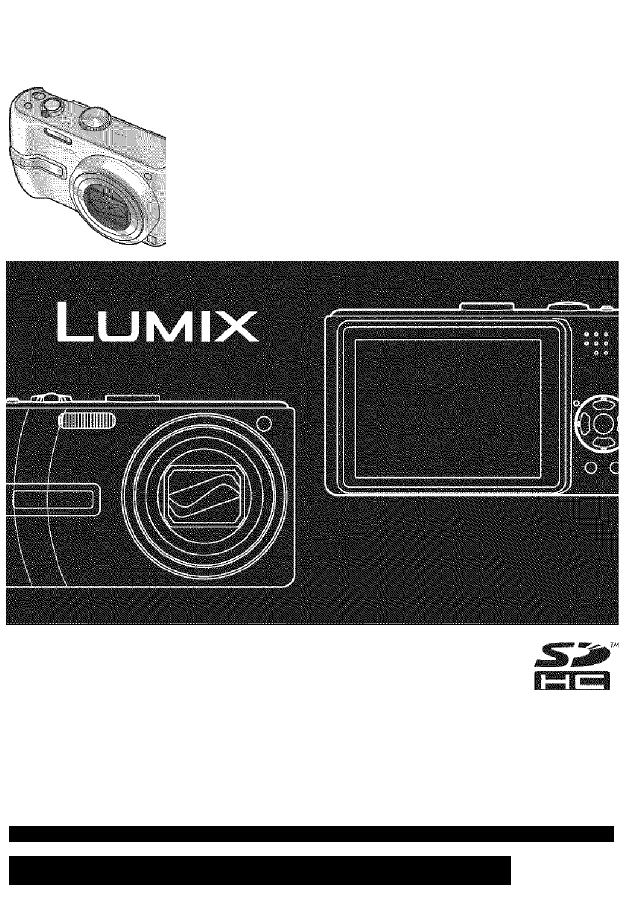
- Panasonic 1
- WARNING: 2
- Quick start guide 3
- Clear pictures 4
- Motion pictures 4
- Contents 5
- Accessories 6
- Names of parts 7
- 14 VQT1B61 VQT1B61 15 8
- :ing the clock and language 9
- 0 ' 10
- 20 VQT1B61 VQT1B61 21 11
- 22 VQT1B61 VQT1B61 23 12
- .^King pictures 13
- I! n.kirig pictures whri zoom 14
- [§ ENLARGE (4:3, 7U*\ Fine): 15
- VQT1B61 16
- Deleting pictures 17
- 34 VQT1B61 18
- ..king piciiires with flash 19
- IfllCinQ piCtUrGS \ 20
- Takina Dictui CO IIK 21
- 42 VQT1B61 VQT1B61 43 22
- 23
- pictures according to 23
- / pictures 24
- for travel 25
- I SETUP menu (P.18, 20) 25
- ÖlJsirii ' * 26
- 52 VQT1B61 27
- 54 VQT1B61 VQT1B61 55 28
- 56 VQT1B61 VQT1B61 57 29
- -■-IS’.,!.;,,.,....,. 30
- >ntin 31
- VQT1B61 VQT1B61 63 32
- PLAY menu 33
- Jiiig PLAY menu fcontmyed) 34
- 68 VQT1B61 VQT1B61 69 35
- 70 VQT1B61 VQT1B61 71 36
- -i (Continued) 37
- Jiiig with computer 38
- 76 VQT1B61 VQT1B61 77 39
- 78 VQT1B61 VQT1B61 79 40
- * I li f (P.28) 41
- 82 VQT1B61 VQT1B61 83 42
- 84 VQT1B61 VQT1B61 85 43
- 86 VQT1B61 VQT1B61 87 44
- 88 VQT1B61 VQT1B61 89 45
- 90 VQT1B61 VQT1B61 91 46
- 92 VQT1B61 VQT1B61 93 47
- )4 VQT1B61 48
- [6 AM-6 PM M-F, PACIFIC TIME] 49
- Limited Warranty (For usAomy) 50
- 100 VQT1B61 VQT1B61 101 51
- 102 VQT1B61 VQT1B61 103 52
- 104 VQT1B61 VQT1B61 105 53
- VQT1B61-1 54
Shrnutí obsahu
PanasonicOperating InstructionsDigital CameraModel No. DMC»TZ2D1VIC-TZ3LEICA DC VARIO-ELMARBefore connecting, operating or adjusting this product, ple
PrépáfátiariS'Explanation of settings method for SETUP menu, REC menu, and PLAY menu. (Screen example: DMC-TZ3)Here is explained a
P.nepar ailOnS':f Using SETUP menufv/lake genera! camera settings such as adjusting the ciock, extending the battery life, and changing the beep
/Prèjpar'afiòns f Jsillifj 'jr”n fT li if/'Ibi. efContlnyed)• Default setting outlined:Settings also reflected in SIMPLE MODE W (R28)
fsmtmssmimgim:Ì.B.àSfCS :V; ; ;p ;.^King picturesPlease set the clock before taking pictures (P.16)...Turn on the
'.SasfcsI Kir0S (Continued)Pictures will be saved to a card if one is inserted, or to the built-in memory if not. , When in operationtilli:aiCar
This mode is designed for beginners to easily take pictures. Only major functions and menu items are displayed.I The settings for the followi
II Bastcsyour pictures instaintlyPictures can be checked while still in a recording mode ( SCN1SCN2 V ).Display picture• Most recently taken picture
Öasies;Deleting picturesSet to PLAYBACK mode Pictures deleted will be from card if card is inserted, or from built-in memory if not.
Applications(Record)IIMMake it easier to see the LCD monitor when taking pictures from high positions or in bright outdoor conditions.D
ApplicationsiRecprd):;..king piciiires with flashDisplay ‘FLASH’ъmtho rtc'-;lr^-c; t-JncFlash —• Do not cover With nard Do not look at from clo
Dear Customer,Thank you for choosing Panasonic!You have purchased one of the most sophisticated and reliable products on the market today. Used proper
Applications(Record)IfllCinQ piCtUrGS \ comDensation ^pjicailGns-;(ReCprci.):;-^;^iiTiaqG staoiti2.GrCorrects exposure when adequate exposure cannot
Applications(Record)Takina Dictui CO IIK—Using SCENE MODE enables you to take pictures with optimum settings (exposure, coloring, etc) for
Applications(Record)ding to theUsing flash in scene modes (P.37)n PORTRAITImproves the skin tone of subjects for a healthier appearance in bright dayl
Applications(Record); ... pictures according to: , ' lene {Continyeci}Using flash in scene modes (P.37)n^—BABYIDate of bir
Applications(Record) HiriQnielli 1S(jject / Taking dose-up / pictures(MACRO mode)JDetects movement of the subject and sets the optimum ISO s
Applications(Record)Usefulm for travel;ld TIME)Record holiday day number or locai time at overseas destination. Can be displayed during pl
Applications(Record)ÖlJsirii ' *.'ШвШИИ¿ ISaShNSIIIVIIY : AUTOI ® ASPECT RATIOi mi ffi PICT SIZE ; 7«TrieD.IÄUIVi &REC menu settings
Applications(Record)tM,\ ttSet picture quality for motion pictures (P.47). Applicable modes: H Settings:Aspect ratio : ¡30fpsVGA| 110fps VGA / 30fps
Applications(Record)ISettings:Method of aligning focus can be changed according to position and number of subjects. Applicable modes: SCN1SCN2 e Set
. Appllicaiicns:A I iiirig REC meinu fcontinyecJiilluminates lamp when dark to facilitate focus alignment. Applicable modes: SCM SCN2 e Settings:OFF
-If you see this symbol- About the battery chargerInformation on Disposal in other Countries outside the European UnionThis symbol is only valid in th
Applications(Record)ÆUrilewirUseful for taking pictures of timetables and maps instead of taking memos. Regardless of presence of card, pictures will
Applications(Record)mefill>ntinpboardPress ‘MENU/SET’ while recording or viewing to display menu. REC ON CUPBOARD menu Select itemDefault setting:
Applications I rion pictures/ji ^ I Gdli If i|| ’(Visw) Ij1 siidioJ( V i©V/ ) ’ ’ r , ' I ' 1 11Set to Ect and play picturei/o'^on . ;i
: ApplicationsI (View)ing PLAY menuVarious playback and editing features for your pictures. Set mode dial to ®.|js.—IPLAY menu settings (P.18)»
iAppiiGatióris ;(\/iew)...Jiiig PLAY menu fcontmyed)jAutomatically rotate portrait pictures, manuaily rotate pictures by 90°.wy. rf rDispiay with aui
Applications(View)Picture/picture no./date printing settings can be made for when printing with DPOF print- compatible shops or printers.
Applications(View)11U (Continued)Add audio to previously taken pictures.^ Select ‘AUDIO DUB.’from PLAY menu (P.17, 18)# Select image and start recordi
Applications(View)-i (Continued)for printing. (P.51)Convert pictures taken in H to or(Cannot be used with pictures not taken inH Select‘ASPECT CONV.
Gonnsciingwith/gtHera^yices':/;Jiiig with computerConnect to your computer to save, print, and e-mail your pictures. (Using the supplie
Gónnéciingwith/òtherdèvices':/;1You can connect directly to a PictBridge-compatible printer for printing.Preparations:« Ensure that you have a su
Record, view, save those precious moments.SD meno'v oa-'dw°% W j'i/>\*V 'J'H !Close-up pictures O' '.-'
GG-ftneciitig wilH pthéf ' àsyicei; : :PiiriQ fContinyed)IPrint settingsPRINT WITH DATE OFF/ONNUM. 0= PRINTS Set number of pictures^ (printer t
:ЗВвЙВЕ2 3141312-я-4— 5 -6 -7— 8-9 - 10 — 11E 4 Recording mode (R13)*’1 Flash mode (P.36)Optical image stabilizer (P.39)AF area (P54)Focus (P25)r
Meanings of and required responses to major messages displayed on LCD monitor.THIS MEMORY CARD IS LOCKED• Release using the write-protect switch on th
-: r I .'i" 'u TroubleshootingTry checking these items (P.84-89) first.(Restoring menu settings to default values may solve cer
)'sRecorded pictures appear coarse, or there is interference.• ISO sensitivity is high, or shutter speed is iow.{Defauit SENSITIVITY setting is
No image appears on TV. Image blurred or not colored.• Not Gonneofed correctly (P.79).#TV input setting not set to auxiliary input.• ‘VIDEO OUT’ not
Camera may become warm if used for long periods of time, but this is not a fault. To avoid jitter, use a tripod and piace in a stable location.{Espec
_ording picture/time capacityFigures given are estimates. May vary according to conditions, card type, and subject. Recording capacities/t
)hsrs:.;-¿liH-cificationsCiners: M i^r or your safetypower ^Source: : :' Power'Consunjptio'n • .".; DC 5.1 V: '.Vhen recor
vOtilërs.tioiiai accessoriesProduct name: Battery Pack Product no.: CGA-S007AProduct name: AC adaptor Product no.: DMW-AC5PP• Performance identical t
Contents10• Before use...10Read first (10)To prevent damage and faults (10)•Charging battery...
Request for Servi /j M otice (For usa omyiPlease photocopy this form when making a request for service notice.In the unlikely event this product needs
» ‘M'stomer Services Directory (For usAomy)Carry-In or Mail-In ServiceFor Carry-In or Mail-In Service in the United States call 1-800-272-7033.Fo
Merci d’avoir choisi Panasonic!Vous avez acheté l’un des appareils les plus perfectionnés et les plus fiables actuellement sur le marché. Utilisé selo
I I I . I l ' i l i ' ' ' / .• List of LCD monitor displays (P80)AC Adaptor... 74, 76,
QQuickTimeQuickTime and the QuickTime logo are trademarks or registered trademarks of Apple Computer, Inc., used under license therefrom.Panasonic Con
'.''i.MindardAccessoriesPart numbers are as of January 2007 Do a test shot first!• Check first to see if you can take pictures and rec
Names of partsCamera ON/OFF switch (P.18)Optical image stabilizer button (P.39)Shutter button (P.24)-------------'j ’ . '' .Zoom leve
ipsya«,«::/:;;:: Charging battery. . Rrèparaiions:- (: . ‘ vAlways charge before first use! (not sold pre-charged)ting battery and cardBattery (mo
Prispara ticnsli:ing the clock and languageSet mode dial (R13) to NORMAL PICTURE mode O before turning on power.‘PLEASE SET THE CLOCK’ will be display
Související produkty a manuály pro Kamery Panasonic DMC-TZ2
 (72 stránky)
(72 stránky)
(72 stránky)
 (68 stránky)
(308 stránky)
(308 stránky)
(80 stránky)
(76 stránky)
(338 stránky)
(338 stránky)
(68 stránky)
(308 stránky)
(308 stránky)
(80 stránky)
(76 stránky)
(338 stránky)
(338 stránky)


 (132 stránky)
(0 stránky)
(132 stránky)
(0 stránky)
© 2020, manymanuals.cz. Všechna práva vyhrazena. | 0.047 s |
 Manymanuals.com
 Manymanuals.de
 Manymanuals.fr
 Manymanuals.it
 Manymanuals.pl
 Manymanuals.cz
 Manymanuals.es
 Manymanuals-pt.com
Komentáře k této Příručce